How to Share Family Vacation Photos Privately (Without Posting on Instagram)

Last Updated: October 15, 2026
Table of Contents
- How Can I Share Vacation Photos Privately Without Social Media?
- Why “Just Post It” Doesn’t Work for Family Photos
- What “Private” Actually Means for a Family Album
- The Link Is the Key
- Your Photos Know Where You Were
- Albums That Don’t Live Forever
- How to Share Travel Photos From iPhone and Android in One Album
- Share Travel Photos Chronologically, Not by Who Uploaded First
- What About iCloud Shared Albums Now?
- Choosing a Travel Photo Sharing App for Your Family
- Keep the Vacation in the Family
Here’s the myth to drop first: Instagram’s Close Friends list is not private photo sharing.
It’s a smaller audience on a public platform. Your photos still get compressed, still sit on a feed built for scrolling, and still vanish into the algorithm a day later. Meanwhile Grandma, who doesn’t have Instagram, sees none of it.
If you want to share vacation photos with family, the people who actually care about the 60 shots of your kids building the same sandcastle, a social feed is the wrong tool. Here’s the right one.
How Can I Share Vacation Photos Privately Without Social Media?
Put every photo from the trip into one private shared album, and send the link only to your family.
That’s the whole answer. No public post, no follower list, no comment section. The album lives at a link that only the people you choose ever receive. They open it in their phone’s browser, see every photo in full quality, add their own, and download the originals they want to keep.
With ShareThePic, you sign up once to create the album. Everyone else just taps the link. No app to install, no account to create, which matters a lot when your family includes a teenager on an iPhone, an uncle on a Samsung, and a grandparent who still calls every app “the internet.”
Why “Just Post It” Doesn’t Work for Family Photos
Social media was built to show your photos to as many people as possible. Family sharing needs the opposite.
Feeds compress everything. A photo from a 48-megapixel phone camera gets squeezed down before anyone sees it. Fine for a thumbnail. Not fine for the one you want to print and frame.
Feeds mix your audience. Your coworkers, your old classmates, and your kid’s friends’ parents all see the beach photos. Nobody signed up for that, least of all the kids.
Feeds don’t collect. A post shows your photos. It does nothing to gather the 200 shots your sister took on her Android, or the 80 your dad took and will never send unless someone makes it very easy.
A family vacation produces photos on five or six phones. The goal isn’t broadcasting. It’s collecting everyone’s photos into one place that only the family can see.
What “Private” Actually Means for a Family Album
“Private” gets thrown around a lot. Whether it’s a summer vacation or the week at your in-laws’ over Christmas, to share holiday photos privately comes down to three practical things.
The Link Is the Key
A link-based album isn’t listed anywhere public. Nobody stumbles onto it. But anyone holding the link can open it, so treat it like a house key.
Simple rules that work:
- Send it in a family-only thread or email. Not a public comment, not a group chat with 40 people you half know.
- Ask people not to forward it. One sentence is enough: “This is just for us, please don’t pass it on.”
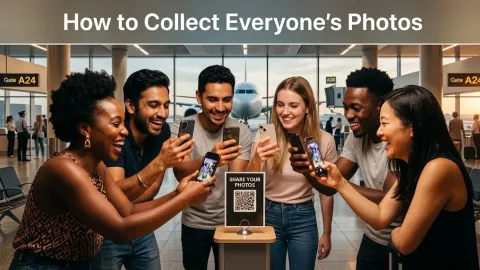
- Use the QR code in person. At the end of a family dinner, hold up the album’s QR code and let everyone at the table scan it. The link never travels through a chat at all.
Your Photos Know Where You Were
Most phone photos store GPS coordinates inside the file, along with the date and time. That’s the information that lets you look back and see exactly which beach, which overlook, which tiny restaurant.
Full-quality sharing keeps that data intact. Inside a private family album, that’s a feature: it’s part of the memory. If you know a particular photo might travel further later (say, one of your house before you leave), turn off location access for your camera before you take it.
Albums That Don’t Live Forever
Here’s a privacy angle almost nobody mentions: the safest shared album is one that goes away once its job is done.
A free ShareThePic album runs for 72 hours, with a 48-hour grace period afterward to download everything. Everyone grabs their originals as a zip file, and then the album is gone. No forgotten folder of your kids’ photos sitting on a server for the next decade.
How to Share Travel Photos From iPhone and Android in One Album
Mixed-device families are the norm, and this is where most shared albums get awkward. Here’s the setup that works for everyone:
- Create the album. You sign up for free (Google or email) and name it something like “Lake Tahoe, Summer 2026.” You get a link and a scan-to-join QR code right away.
- Send the link to the family thread. One message: “Vacation album’s up. Add your photos here instead of the chat.”
- Everyone uploads from their browser. iPhone users add their HEIC photos as-is. Android users add their JPEGs. No app, no account, no converting anything.
- Everything stays full resolution. No compression on originals, and every photo keeps its capture date, camera details, and location.
- Download your favorites. Anyone can pull the full set as a zip in original quality.
Create your free shared photo album before the trip starts, and the family can add photos from day one.
Share Travel Photos Chronologically, Not by Who Uploaded First
A family album has a sneaky problem: people upload in batches. Your mom uploads 120 photos on Tuesday night, your brother adds his on Friday, and suddenly the album reads like two separate vacations.
ShareThePic sorts every photo by the moment it was taken, using the capture time stored inside each file, not the upload time. Your sunrise photo from day one and your brother’s dinner photo from day five land in the right order automatically, whether they came from an iPhone or an Android.
The result is one timeline of the whole trip, told from six different phones. That’s the version of the vacation the family will actually scroll through again.
Next time someone says “send me your photos when you get home,” skip the promise. Start a free album here and let the timeline build itself.
What About iCloud Shared Albums Now?
Fair question, because Apple changed a lot in iOS 27.
New iCloud Shared Albums now keep full resolution (the old ones cut photos down to 2048 pixels on the long edge). Android and Windows users can view and contribute through iCloud.com in a browser. Both are real improvements.
The catch: permanent Shared Albums now count against the album owner’s iCloud storage, no matter who uploads. A family of six adding 600 full-resolution photos and videos lands on one person’s storage bill. Apple’s temporary albums avoid that, but they delete anything not saved within 30 days. And everything still runs through Apple’s ecosystem, which is a harder sell to the Android half of the family.
If your whole family already lives on iPhones and someone has spare iCloud storage, iCloud is a reasonable choice. If you want one link that works the same way for everyone, with no Apple-centric setup and no storage bill on one person, a browser-based album is simpler.
Choosing a Travel Photo Sharing App for Your Family
Whatever travel photo sharing app you pick, run it through this checklist:
- Can relatives view and upload without installing anything? If Grandpa needs an app store, you’ll lose him.
- Does it keep original quality? If it compresses, the photo you want to print is already ruined.
- Does it sort by when photos were taken? Otherwise you’ll be reordering hundreds of shots by hand.
- Is it private by default? No public profiles, no feed, no discovery.
- Does the price match the trip? You shouldn’t need a monthly subscription for one vacation.
On that last point: the free ShareThePic plan covers a long weekend with up to 5 people and 250 photos. For a bigger family or a full week, the PRO Group Plan is a one-time $4.99 for 1 week, with 20GB (roughly 6,000 photos) and unlimited contributors. Two weeks is $9.99. You pay once per trip, not every month.
Keep the Vacation in the Family
You don’t need a public post to share vacation photos with family. You need one private link, full-quality originals, and a timeline that sorts itself.
Send the link to the people who were there and the people who wish they had been. Keep it off the feed. Download the originals before the album expires.
You sign up once. Everyone else just taps the link. Create your free shared photo album and keep this year’s vacation where it belongs.
Frequently Asked Questions
How can I share vacation photos privately without social media?
How can I share vacation photos privately without social media?
Create one private shared album and send its link only to the people who should see it, in a family text thread or email. With ShareThePic, you sign up once to create the album. Everyone you send the link to can view, upload, and download full-resolution originals from their phone's browser, with no app and no account. Nothing gets posted to a public feed.
How do I share travel photos from iPhone and Android in the same album?
How do I share travel photos from iPhone and Android in the same album?
Use a browser-based shared album instead of an ecosystem-specific one. iPhone users upload their HEIC photos as-is, Android users upload JPEGs, and both land in the same album at full resolution. Nobody has to convert files or install an app.
Is a shared album link actually private?
Is a shared album link actually private?
A link-based album is private as long as the link stays with the people you sent it to. It isn't posted anywhere public, but anyone holding the link can open it. Share it in a family-only thread or email, never in a public comment or a group with people you don't know.
Do vacation photos reveal my location?
Do vacation photos reveal my location?
Usually, yes. Most phone photos store GPS coordinates inside the file. Original-quality sharing keeps that data, which is useful for remembering where a shot was taken. Within the family, that's fine. If a photo might travel further, turn off location for your camera before you take it.
Can Android users add photos to an iCloud Shared Album now?
Can Android users add photos to an iCloud Shared Album now?
With iOS 27, Apple opened Shared Albums to Android and Windows users through iCloud.com, and new albums keep full resolution. The trade-off is that permanent albums now count against the album owner's iCloud storage, while temporary albums expire after 30 days.