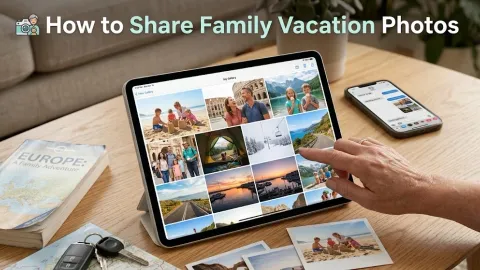
The Post-Trip Photo Problem: How to Actually Collect Everyone's Photos

Last Updated: October 1, 2026

Table of Contents
- Why Trip Photos Never Actually Get Shared
- The Group Chat Trap
- What’s the Best Way to Share Photos With Everyone After a Group Trip?
- How to Actually Get Stragglers to Upload Their Photos
- What’s the Easiest Way to Organize Trip Photos by Date From Multiple Phones?
- Setting Up the Album Before Everyone Scatters
- Free vs. Paid: What Happens When the Album Expires
- The Post-Trip Photo Workflow That Actually Works
Ten days after everyone flies home, someone finally asks the question every group trip ends with: “wait, does anyone have the photo from the overlook?”
Nobody has it in one place. Half the group’s photos are still sitting in their camera roll, forgotten. The other half got posted once to a group chat and buried under three days of unrelated messages. The trip is over, but the actual job of collecting everyone’s photos into something you can look back on hasn’t even started.
This is the post-trip photo problem, and it’s not a storage problem. It’s a collection problem.
Why Trip Photos Never Actually Get Shared
Here’s what really happens after a group trip: everyone means to send their photos. For the first day or two, there’s real intent. Then work starts back up, laundry needs doing, and 140 photos sitting in someone’s camera roll drops to the bottom of their to-do list. It stays there indefinitely.
Nobody is being difficult. The problem is that “send me your photos” has no clear mechanism attached to it. Send them how? To who? All at once, or as they get around to it? Without a single, obvious answer to that question, most people just don’t.
The stakes here are real. A 6-day trip with 8 people can easily produce 400+ photos spread across 8 different camera rolls. If you don’t collect them within the first couple weeks, you’re not just missing a few shots, you’re missing most of the trip’s actual record, permanently.
The Group Chat Trap
The default move is to ask everyone to drop their photos in the trip’s group chat. Don’t.
Group chats do three things badly at once. First, they compress everything automatically. WhatsApp reduces detail by up to 80% on the way through, and iMessage does its own quiet compression too. A photo taken on a 48-megapixel camera comes out the other side looking like it was shot on a flip phone.
Second, photos scroll out of view within days. One more meme, one more “what time are we leaving,” and the good photos from day three are buried under 200 unrelated messages.
Third, group chats strip the metadata. The timestamp that would let you sort everyone’s photos into the actual order the trip happened in gets lost, so even if you screenshot your way through the thread, you end up with a pile of photos in no particular order.
What’s the Best Way to Share Photos With Everyone After a Group Trip?
Skip the group chat and use one shared album instead.
Create a single link, send it once to the group, and let people upload directly to it from their phone’s browser, no app required. ShareThePic works this way: guests can view every photo in the album with just the link, and anyone who wants to contribute signs in with a free account and uploads straight from their camera roll, in full original resolution. No compression, no downloading yet another app, no re-explaining the process to the one person in the group who’s bad with technology.
This solves the actual mechanism problem. “Send me your photos” becomes “upload to this link,” which is a task people can complete in the time it takes to wait for coffee.
How to Actually Get Stragglers to Upload Their Photos
Even with a link, some people won’t upload right away. That’s normal, not a sign the plan failed.
Here’s what works: send the link once when you set up the album, then send exactly one reminder 3 to 4 days later if someone hasn’t contributed. Keep it specific:
“Hey, quick reminder: the trip album is still open. [link]. Takes 30 seconds, would love to have your shots from the hike in there.”
Notice what that message does. It names the specific thing you want (their hike photos), gives the direct link again instead of making them scroll back to find it, and puts a time estimate on it so it doesn’t feel like a chore. A vague “don’t forget to send photos!” in the group chat gets ignored. A specific, one-click reminder gets action.
One reminder is usually enough. If someone still hasn’t contributed after that, they’ve made a choice, and chasing further rarely changes it.
What’s the Easiest Way to Organize Trip Photos by Date From Multiple Phones?
This is the part most people don’t know is even possible: every photo already contains the exact date and time it was taken, embedded in the file itself. That’s EXIF data, and it’s what lets a photo-sharing tool reconstruct the real order of the trip automatically, regardless of whose phone took which shot or when it got uploaded.
ShareThePic reads that embedded timestamp from every photo in the album, whether it came from an iPhone or an Android phone, and sorts the whole collection into one chronological timeline. Someone’s sunrise photo from day one and someone else’s dinner photo from day four end up in the correct order automatically, without anyone manually renaming files or cross-referencing who took what when.
This matters more than it sounds like it should. A pile of 400 unsorted photos from 8 phones is not usable. The same 400 photos in the order the trip actually happened, is a story you can scroll through.
Setting Up the Album Before Everyone Scatters
The best time to set this up is before the trip even ends, or within the first day back at the latest.
- Create the album. It takes under a minute: create your free shared photo album, and you’ll have a link and a QR code ready to send.
- Share it in the group chat, once. Post the link with a one-line note: “Trip album’s up, drop your photos here instead of the chat.”
- Let it collect for a week. Most people will upload within the first 48 hours. The rest trickle in over the following days.
- Send one reminder. Around day 3 or 4, nudge anyone who hasn’t contributed yet, using the specific-and-direct approach above.
- Download the full set. Once the album has what it needs, pull everything down as a zip in original resolution, sorted by the date it was actually taken.
No one in the group needs to install anything. Viewing the album takes just the link. Uploading takes a free account sign-in and a browser, nothing else.
Free vs. Paid: What Happens When the Album Expires
Worth knowing upfront: the free plan gives you a 72-hour album with room for up to 250 photos and 5 contributors, plus a 48-hour grace period afterward to download everything before it’s deleted. For a weekend trip or a small group, that’s usually enough on its own.
For longer trips or bigger groups, the paid PRO Group Plan is priced per album, not as a subscription. One week of storage with unlimited contributors is $4.99. A full month, with room for roughly 45,000 photos, is $14.99. You pay once, for the specific trip, and you’re not stuck with an ongoing monthly charge for storage you’ll stop needing once you’ve downloaded everything.
That’s a different model than most cloud storage. You’re not renting permanent space. You’re buying exactly enough room for one trip’s worth of photos, downloading the originals, and keeping your own copy from there.
The Post-Trip Photo Workflow That Actually Works
The fix for the post-trip photo problem was never “get more storage” or “ask people to try harder.” It’s replacing a vague request with a specific, low-friction mechanism: one link, uploaded in original quality, sorted automatically by the moment each photo was actually taken.
Set the album up before everyone scatters, send it once, follow up once, and download the full set once it’s settled. That’s the entire workflow, and it’s the difference between a trip’s photos living in a story you can actually look back on, or fifteen different unopened camera rolls.
Create your free shared photo album and start collecting your group’s photos before everyone gets busy and forgets.
Frequently Asked Questions
What's the best way to share photos with everyone after a group trip?
What's the best way to share photos with everyone after a group trip?
Create one shared album with a link, and send it to the group instead of asking everyone to text or AirDrop their photos individually. ShareThePic lets guests view every photo with just a link, and contributors upload their own shots from their phone's browser in original quality. One link replaces twelve individual photo requests.
What's the easiest way to organize trip photos by date from multiple phones?
What's the easiest way to organize trip photos by date from multiple phones?
Use a tool that sorts by the photo's embedded capture timestamp (EXIF data), not by upload time. ShareThePic reads that timestamp from every photo, whether it came from an iPhone or Android, and interleaves the whole group's photos into one chronological timeline automatically.
How long should you wait to collect photos after a trip?
How long should you wait to collect photos after a trip?
Send the album link within 24 to 48 hours of getting home. Interest in a shared trip drops fast once everyone is back to work and buried in their own camera roll. The sooner the link goes out, the higher the response rate.
What if someone in the group won't share their photos?
What if someone in the group won't share their photos?
Send one reminder with the direct album link, not a vague nudge in the group chat. Most non-responders aren't refusing, they just forgot. A specific, one-click reminder sent a few days after the first request recovers most stragglers without anyone feeling chased.