Concert Photo Sharing: How to Create a Shared Album for Your Squad

Last Updated: October 13, 2026
Table of Contents
- What’s the Easiest Way to Create a Shared Album for a Concert or Festival?
- Why Concert Photos Never Make It Out of the Group Chat
- Set It Up Before the Doors Open
- Don’t Upload From the Pit
- Your Phone Will Probably Die (Upload Every Night)
- Videos Are the Point
- The Whole Show in Set-List Order
- Free for a Squad, Cheap for a Festival Crew
- Beyond the Concert
- The Encore
Here’s the myth to drop first: the group chat is not where concert photos get shared. It’s where they go to die.
You know the pattern. Five friends, one show. Everyone films the opener, the big hit, and the encore. Someone sends three blurry clips to the chat at 1 a.m. Someone else says “omg send me yours.” And that’s it. A week later, 400 photos and 60 videos are still sitting in five different camera rolls, and the best clip of the night has only ever been seen by the person who filmed it.
If you want to share concert photos with friends and actually end up with everyone’s shots, you need one place for them, set up before the show.
What’s the Easiest Way to Create a Shared Album for a Concert or Festival?
Create one shared album before the doors open, and drop the link in your squad’s group chat.
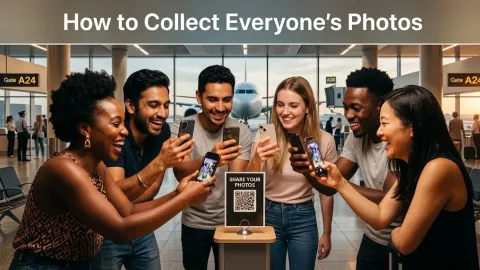
That’s the whole answer. Everyone uploads their photos and videos to the same album, from their own phone’s browser, whenever they get a chance. No app to install. No account for anyone except the person who creates it.
With ShareThePic, you sign up once. Everyone else just taps the link. iPhone or Android doesn’t matter. The album keeps every file at full original quality and sorts everything by when it was shot, so the night reads in order from the opener to the last song.
Why Concert Photos Never Make It Out of the Group Chat
Three things go wrong when the group chat is the plan.
Chats crush video. Messaging apps compress clips to make them send faster. Your crisp 4K video of the drop arrives looking like it was filmed through a screen door.
Everything gets buried. By the next afternoon, the clips are 200 messages up, under memes and “where are you” texts from the night before.
Platform albums need everyone on the same platform. GroupMe albums need everyone in GroupMe. Google Photos albums need the app and a Google account to contribute. Facebook needs Facebook. Every one of those is a reason for someone in your squad to just not bother.
Set It Up Before the Doors Open
This takes under a minute, and you want it done before you’re in a crowd with no signal.
- Create the album the night before or on the way. Sign up free, name it something like “Arena Night, Oct 2026,” and you get a link plus a scan-to-join QR code.
- Drop the link in the squad chat. One line: “Concert album’s up. Put everything here, not in the chat.”
- Pin the message. So nobody has to scroll for it at 2 a.m.
- Agree on one rule: shoot freely, upload later. (More on that below.)
Create your free shared photo album before you leave for the venue, and the link will be waiting when you need it.
Don’t Upload From the Pit
Here’s what nobody tells you: trying to upload from the middle of a crowd is a waste of battery.
At a packed venue, thousands of phones compete for the same cell towers. Your phone can show full bars and still not send a text, let alone a 300MB video. That’s network congestion, and no amount of refreshing fixes it.
So don’t fight it. Shoot during the show. Upload when you can actually connect:
- Walk to the edge of the grounds. The densest crowd, and the worst signal, is right in front of the stage.
- Use venue Wi-Fi if there is any, often near food stalls or entrances.
- Upload on the ride home or at the hotel. This is where most of the album fills, and it’s fine.
Your Phone Will Probably Die (Upload Every Night)
At a multi-day festival, something will happen to at least one phone. It dies at 4 p.m. on day two. It gets cracked in the pit. It gets left in a portable toilet. (It’s always a portable toilet.)
The photos that are only on that phone go with it.
That’s why the best festival routine is a nightly upload. Back at the tent, the hotel, or the Airbnb, everyone spends five minutes putting the day’s best photos and clips into the album over Wi-Fi or a decent signal. Whatever’s uploaded is safe, no matter what happens to the phone tomorrow.
Videos Are the Point
Let’s be honest: for concerts, the clips matter more than the photos. The crowd singing the chorus back. The confetti cannon. Your friend losing it when the band played the deep cut.
A good concert album keeps those videos at full quality. ShareThePic supports MP4 and MOV (along with WEBM, AVI, MKV, and M4V) and stores originals without compression.
One practical note: long 4K clips get big fast. Files over 100MB can be slow or hard to upload from a phone browser, so save the long ones for home Wi-Fi or a laptop. Short clips upload easily from anywhere with a real connection.
The Whole Show in Set-List Order
Five people filming the same show from different spots creates a surprisingly cool result, if the album puts it together right.
ShareThePic sorts every photo and video by the moment it was captured, using the timestamp saved inside each file. So your clip of the opening song, your friend’s shot from the balcony during the same song, and someone else’s encore video land in the order they actually happened. You end up with the whole set list, told from five angles.
Nobody has to rename anything or sort by person. It just reads like the night.
Free for a Squad, Cheap for a Festival Crew
Here’s where the numbers land:
- Squad of up to 5, one-night show: Free. 72 hours, up to 250 photos, plus a 48-hour grace period to download everything.
- Multi-day festival or a bigger group: PRO Group, 1 week, is a one-time $4.99, with 20GB (roughly 6,000 photos) and unlimited members. Plenty of room for video.
- Festival season with the same crew: Two weeks is $9.99 with 50GB if you want everyone to have time to upload from home.
No subscription. When it’s done, everyone downloads the full set in original quality as a zip and keeps their own copy.
Beyond the Concert
The same setup works anywhere a group takes photos on a lot of phones.
If you want to share celebration photos with family after a birthday dinner or an anniversary party, one link in the family chat beats 15 separate texts. For photo sharing for small business events, like a shop launch or a customer appreciation night, a QR code at the register gets customers adding their shots. And for conference photo sharing with hundreds of attendees, check out our guide to corporate event photo sharing.
Next time someone says “we should make an album,” be the one who already did. Start a free album here and let the squad fill it.
The Encore
The secret to concert photo sharing isn’t a better app or a faster network. It’s deciding where the photos go before the lights go down.
Make the album before the show. Pin the link. Shoot freely, upload later, and do it every night if it’s a festival. Keep the videos in full quality.
You sign up once. Everyone else just taps the link. Create your free shared photo album and bring home every angle of the night, not just yours.
Frequently Asked Questions
What's the easiest way to create a shared album for a concert or festival?
What's the easiest way to create a shared album for a concert or festival?
Create one shared album before the show and drop the link in your squad's group chat. With ShareThePic, one person signs up and creates the album in under a minute. Everyone else taps the link and uploads photos and videos from their phone's browser, with no app and no account, in full original quality.
Why can't I upload photos at a concert or festival?
Why can't I upload photos at a concert or festival?
Network congestion. Thousands of phones compete for the same cell towers, so uploads stall even with full bars. Don't fight it from the crowd. Upload from the edge of the grounds, from venue Wi-Fi, or once you're back at the hotel or home.
How do I share concert videos with friends without losing quality?
How do I share concert videos with friends without losing quality?
Skip the group chat, which compresses video. Upload the original clips to a shared album that stores files at full quality, ideally over Wi-Fi. Very large files (over 100MB) are easier to upload from a laptop than a phone browser.
Is there a free way to share concert photos with friends?
Is there a free way to share concert photos with friends?
Yes. ShareThePic's free plan covers a squad of up to 5 people with up to 250 photos, active for 72 hours plus a 48-hour grace period to download everything. For a multi-day festival or a bigger crew, a one-week album with unlimited members is a one-time $4.99.